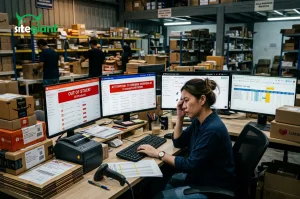

Running an eCommerce business without a POS system can quickly turn into a daily struggle. When your sales channels aren’t connected by a POS system, small issues can snowball into big headaches such as:
- Missed sales opportunities – Products appear available when they’re already sold out, or stock updates lag, causing lost sales.
- Long waiting times for customers –Slow checkout and manual processes frustrate customers and drive them away.
- Time-consuming tasks –Handling orders, calculating bills, and preparing reports manually is tedious, error-prone, and inefficient.
- Low customer loyalty – Without a system to track rewards or offer consistent discounts, customers are less likely to return.
These challenges highlight why relying only on manual processes or standalone systems isn’t enough in today’s fast-moving retail world. That’s where a modern POS system comes in — not just as a payment tool, but as the foundation for merging online and offline sales into one seamless experience.
In this blog, we’ll walk you through the top POS systems trusted by Filipino businesses. From sleek solutions for boutique shops to powerful platforms for larger retailers, you’ll discover how each one helps bridge the gap between offline and online sales.
What is a POS System?

A Point-of-Sale (POS) system is the tool that businesses use to handle sales transactions, whether in a physical store or online. In the past, it was simply a cash register that recorded sales and printed receipts. Today, POS systems have evolved into smart platforms that connect multiple parts of your business.
A POS system can run on tablets, smartphones, or computers, and it does more than just accept payments. It also tracks inventory, manages customer data, and generates detailed reports.
Here’s how:
Function | How It Works |
Payment Processing | Accepts payments through cash, credit/debit cards, e-wallets, or QR codes. |
Receipt Generation | Issues printed or digital receipts automatically after each transaction. |
Inventory & Sales Updates | Updates stock levels and sales data in real time after every purchase—offline or online. |
System Integration | Connects with eCommerce platforms, accounting software, and loyalty programs. |
Cost Calculation | Automatically calculates totals, taxes, discounts, and promotions. |
Data Collection & Analysis | Records customer data and sales history to generate useful reports. |
For eCommerce sellers in the Philippines, a POS system isn’t just about handling payments. It’s about creating a smooth, connected shopping experience for customers while giving you the tools to run your business more efficiently.
Why Does Your Business Need a POS System?

Now that we’ve seen how a POS system works, let’s look at the advantages it brings to your business. A POS system is not just a tool for processing sales, it supports the entire flow of your operations. From managing inventory and consolidating sales data to enhancing customer loyalty and saving time on reports, it helps you run your business more efficiently and grow with confidence.
Benefits | How It Helps Your Business |
Accurate Inventory Tracking | Updates stock levels in real time across all sales channels, helping you avoid errors and prevent overselling. |
Faster Checkout | Speeds up transactions and reduces waiting time, giving customers a smoother shopping experience. |
Centralized Sales Data | Combines in-store and online transactions into one dashboard, making it easier to track performance and spot trends. |
Better Customer Insights | Captures purchase history and shopping behavior, allowing you to create personalized offers and loyalty rewards. |
Time-Saving Reports | Generates automated sales and inventory reports, helping you make faster and smarter business decisions. |
Flexibility for Growth | Adapts as your business expands, whether you’re adding new sales channels, more products, or additional branches. |
4 Key Considerations When Choosing a POS System

Selecting a POS system is not a one-size-fits-all decision. The right choice depends on your operations, goals, and how you serve your customers. Here are the most important factors to keep in mind:
1. Business Type and Size
Different businesses have different needs. A small retail shop may only require a simple system for daily sales, while larger operations with multiple branches or both online and offline sales need more advanced features like centralized dashboards and real-time syncing.
2. Ease of Use
Your staff will rely on the POS every day, so the system should be intuitive and straightforward. A user-friendly POS minimizes training time, reduces errors during busy hours, and keeps your operations running smoothly.
3. Integration Capabilities
Look for a POS system that connects seamlessly with the other tools you already use—such as your eCommerce platforms, payment solutions, or accounting software. This helps you eliminate manual work and ensures your data flows smoothly across your business.
4. Cost and Scalability
When choosing a POS, think beyond just the upfront cost. Consider long-term value and whether the system can grow with your business. The right POS should be flexible enough to adapt as your sales channels expand and your operations become more complex.
Top 8 POS System In the Philippines

1. SiteGiant POS
A cloud-based, hardware-less POS that unifies online and offline retail operations—accessible via tablet anywhere. It supports real-time syncing of sales and inventory across channels. Users appreciate its customizable receipt templates and ease of use.
2. HashMicro POS
A robust, BIR-accredited POS ideal for medium to large businesses and multi-branch operations. It offers centralized inventory, advanced reporting, and built-in templates for receipts and EoD reports.
3. StoreHub
A cloud-based and user-friendly POS system widely used across Southeast Asia. It excels with its intuitive interface and seamless integration—suited for small to medium retail businesses.
4. UTAK POS
Designed with Philippine SMEs in mind, UTAK comes bundled with hardware and provides real-time inventory, sales, and employee attendance tracking. Its localized setup makes it easy for businesses to manage operations smoothly.
5. Peddlr
A free mobile POS app tailored for small businesses like sari-sari stores. It operates offline, supports external devices (like barcode scanners), and includes features like QR code payments, credit ledger tracking, and mobile load/bills services.
6. Maya POS
From Maya Philippines, this POS supports BSP QR Ph standard payments and is noted for secure, convenient digital transactions. This helps businesses embrace cashless transactions while offering customers faster and safer payment options.
7. Loyverse POS
A free-to-use POS system (for basic functionality) well-suited for cafés, retail shops, and small chains. It includes inventory management, loyalty programs, multi-store support, and works both online and offline with hardware compatibility.
8. Mosaic POS (Mosaic Solutions)
A locally trusted vendor offering SaaS-style POS solutions at affordable subscription rates, complete with ongoing updates and support. It supports multi-location inventory and analytics, and is accredited by major malls and the BIR.
Quick Comparison
POS System | Ideal For | Key Strengths |
SiteGiant | SMEs blending online & offline channels | Hardware-free, cloud-based, real-time sync, portable, affordable, user-friendly |
HashMicro | Medium–large businesses, multi-branch | Centralized control, BIR accredit, powerful analytics |
StoreHub | SMEs across retail sectors | Cloud-based, great UI, scalable |
UTAK | Local SMEs & startups | Affordable bundle, Philippines-tailored |
Peddlr | Micro or sari-sari stores | Free, mobile, offline-capable, built-in services |
Maya POS | Digital-savvy retailers | QR payments, e-wallet integration, secure and accessible |
Loyverse | Cafés and small retail chains | Free tier, loyalty features, offline/online capability |
Mosaic POS | Retail & F&B needing compliance & support | Local support, BIR and mall accreditation, SaaS model |
SiteGiant OMO: The Smart Way to Maximize Your POS

What makes SiteGiant POS different is its deep integration with the SiteGiant OMO (Online–Merge–Offline) ecosystem. Instead of separating your online and offline sales, it unifies them into one powerful platform with:
OMO Feature / Integration | How It Works with SiteGiant POS | Benefit for Your Business |
Unified Sales & Inventory | Every time a customer makes a purchase offline or online, your sales and stock levels are automatically refreshed in real time across all connected platforms like Lazada, Shopee, and TikTok Shop update instantly. | Eliminates overselling and underselling risks, gives you one centralized view of operations, and saves countless hours of manual updates. |
Webstore Integration | Connect POS with your SiteGiant webstore. No need to worry about mismatched data between your in-store POS and online store. | Ensures customers get a consistent shopping experience across channels, helping you build trust and reduce costly errors. |
Mobile Shopping App & Loyalty | Customers shop via app with rewards synced to POS. Whether buying online or in-store, their perks and membership status follow them everywhere. | Strengthens customer retention, encourages repeat purchases, and creates a seamless loyalty journey across all sales touchpoints. |
Smart Salesman App | Turns any smartphone or tablet into a mobile POS system. Sales staff can check inventory, take orders, and process payments instantly. | Empowers your team to sell on the go, improves customer service with instant stock visibility, and expands your sales channels beyond the store walls. |
Customer Relationship Management (CRM) | Captures customer data and purchase history. You can track purchase history, segment buyers, and send personalized promotions or reminders based on real behavior. | Helps you build stronger customer relationships, run targeted marketing campaigns, and increase lifetime value by making customers feel valued. |
Flexible Checkout | Supports a wide range of payment options, including cash, credit/debit cards, e-wallets, while also enabling you to apply special discounts, smart vouchers, or membership rewards directly at checkout. | Makes the buying process smoother and more convenient for customers, while giving you the flexibility to run promotions that boost sales and encourage repeat purchases. |
Together, these features make SiteGiant POS more than a checkout system — it’s the core of your retail operations. With real-time updates, webstore integration, loyalty rewards, CRM insights, and flexible checkout, you can run smarter, grow faster, and deliver seamless shopping experiences that keep customers coming back.
SiteGiant POS: Your Next Step to Growth
Today’s customers don’t separate online from offline — they expect convenience, speed, and consistency wherever they shop. A POS system that only handles basic transactions is no longer enough. Businesses need a solution that unifies every touchpoint into one seamless experience.
This is where SiteGiant POS with OMO integration shines. Imagine having your webstore, marketplaces, mobile app, loyalty rewards, and CRM working together with your POS. Every sale is updated in real time, every customer is recognized and rewarded, and every checkout feels effortless.
With SiteGiant POS, you’re not just keeping up with the shift to omnichannel retail — you’re staying ahead. From small boutiques to growing retail chains, businesses across the Philippines can now deliver shopping experiences that delight customers, strengthen loyalty, and drive long-term growth.