
TikTok Shop is rapidly growing in the Philippines, especially among younger consumers. The integration of TikTok Shop with social media concepts allows users to quickly access product information and reviews through short videos and livestream.
This format perfectly aligns with the fast-paced lifestyle of the younger generation. A key advantage of selling on TikTok Shop is the opportunity to gain greater exposure while enjoying a streamlined selling experience.
With this eCommerce marketplace, you can be both a content creator and an online seller at the same time. Brands now have direct access to TikTok viewers, who represent 47.3% of internet users in the Philippines, creating an unmatched opportunity to engage with a wide local audience.
In this guide, we’ll explore a simple guide for how to sell on TikTok Shop Philippines.
Step 1: How to Set Up Your Seller Account
Step 2: Fill out the Application for Each Business Type
Step 4: Upload and List Your Product
Step 5: Start Selling Your Products
Step 6: Shipping and Seller Fee
Step 7: Tools for Help Your Operation Store
Step 1: How to Set Up Your Seller Account
By all means, visit the TikTok Shop Seller Center to register your account.
Two Options to Sign Up for a Seller Account
1. Register with TikTok Account
New sellers can sign up a seller account to continue with each social media platform account or select ‘Use QR code’ to continue with TikTok Account.
2. Register with Phone Number or Email
Register with a phone number or email and proceed to enter the verification code and set a password.

Step 2: Fill out the Application for Each Business Type
Follow the general guidelines provided by TikTok Shop to ensure your documents meet the required format.
General Document Format Requirements
1. Both sides of the ID cards must be government-issued and must show the individual’s information clearly.
2. Passports must show the entire biodata/personal data page clearly.
3. Documents must be in a legible paper orientation.
4. Document images must be high quality, colored and unobstructed.
5. For multi-page files, please combine two-sided pictures into a one-page file.
6. File format: PNG or JPG.
The Different Application Criteria for Individual Sellers and Corporate Sellers
| Criteria | Individual Seller | Corporate Seller |
| Description | An individual person offering goods for sale on TikTok Shop. | Seller is a legally incorporated company / business, registered with the Department of Trade & Industry (DTI) or Securities & Exchange Commission (SEC) |
| Applicant Eligibility | Must be a citizen of the Philippines | Must be an entity incorporated in the Philippines |
| Must be at least 18 years old | Must submit valid business licenses and registrations issued by DTI or SEC | |
| Cannot be under investigation or enforcement action | Cannot be under investigation or enforcement action | |
| Seller Verification Requirements | TIN ID | Business registration details & documents |
| Passport | Contact details | |
| PhilSys ID / National ID | Tax registration details & documents | |
| Driver’s License | Government-issued identity documents of company legal representative(s) / director(s) / person(s) with significant control | |
| Unified Multi-Purpose ID (UMID) | Any other additional relevant information, as required by regulations | |
| Social Security System (SSS) ID | N/A | |
| PhilPost ID / Postal ID | N/A | |
| Voter’s ID | N/A | |
| PhilHealth ID | N/A | |
| Professional Identification Card (PRC) ID | N/A | |
| Any other additional relevant information, as required by regulations | N/A | |
| Identity Document Requirements | Name on the submitted identity document must match the applicant’s name on the registered TikTok Shop account | Full pages of all business and tax registration documents must be submitted |
| Identity documents must be government-issued and recognized by the Philippines | Company name on the submitted documents must match the company name on the registered TikTok Shop account | |
| Must be valid at the time of submission | Must be valid at the time of submission | |
| N/A | Legal representative’s name on business licenses must match the TikTok Shop account | |
| N/A | Where requested, applicants must also provide us with information evidencing the beneficial ownership of the company |
Step 3: Set up Your Store
Now, just a few steps to continue to set up your store with TikTok’s guidelines.
1. Upload the required Application Documents for your seller type.
2. Set Your Store Name.
3. Select the Product Category you wish to sell in TikTok Shop.
4. Complete Your Seller Profile with accurate Contact Information.
5. Submit a copy of the first full page of your Bank Account Information.
| Individual Seller | Corporate Seller |
|---|---|
| The submitted bank account name should be consistent with the name on the identity documents provided upon registration. | The business bank account name must also be consistent with the business entity’s name on any submitted business licenses, certificates, or company registrations. |

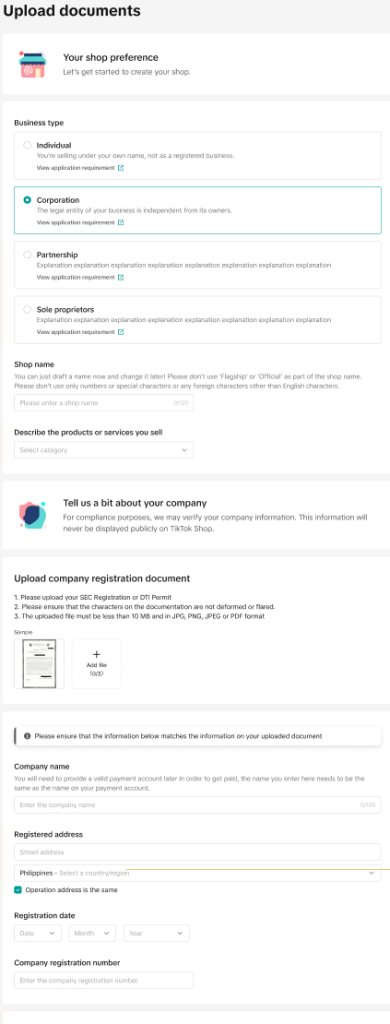
TikTok Shop also will require further information according to the specific requirements of the applicant’s destination market and periodic verification checks for further information.
Step 4: Upload and List Your Product
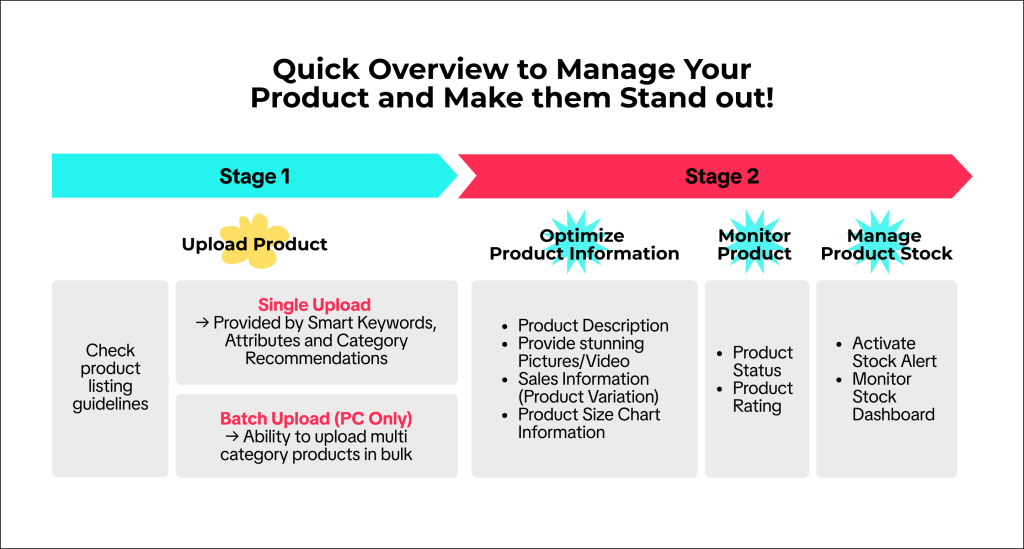
New sellers can refer to this picture for the overview below to see overall steps on how to manage your product on TikTok Shop.
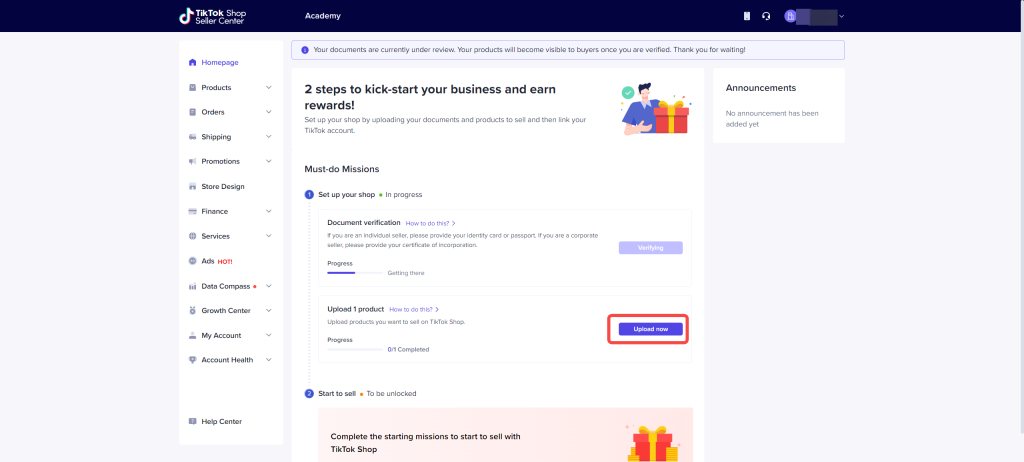
Click “Upload Now” button for upload product to your TikTok Shop.
Entrance: Seller Center > Product > Product Optimizer.
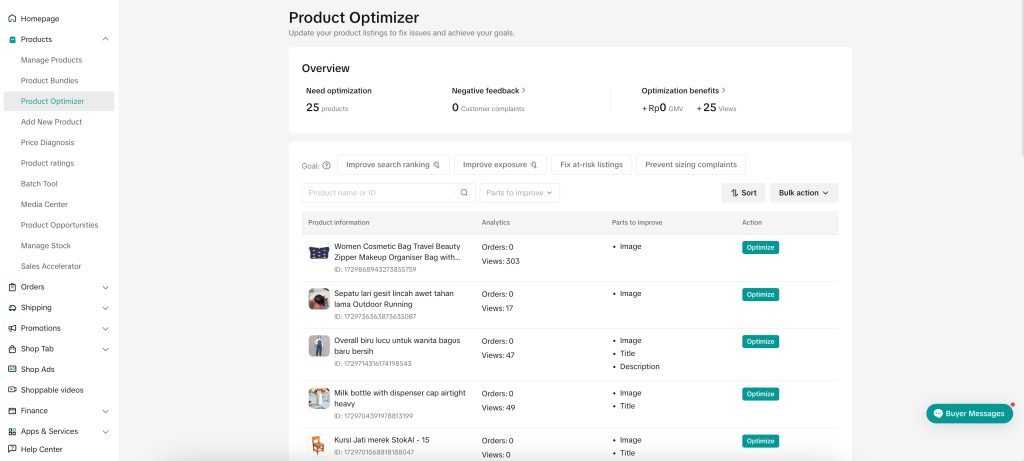
To review suggestions to improve product visibility based on the issues that your products have.
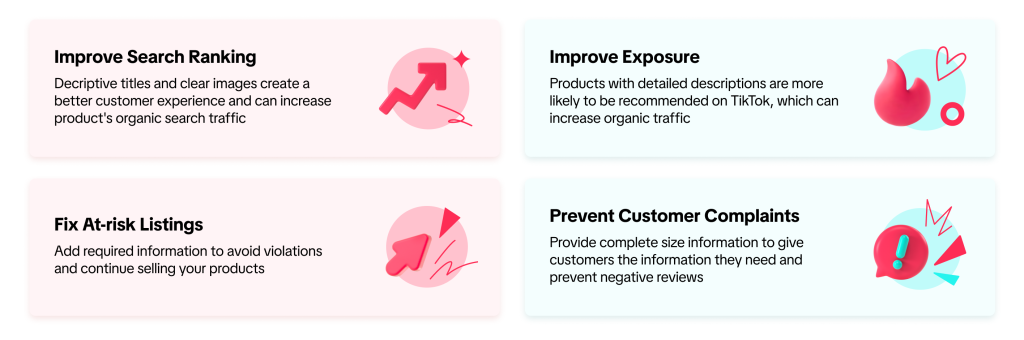
Benefits of Optimising Products with Product Optimizer
Step 5: Start Selling Your Products
You can sell your products on TikTok Shop in several ways, including
1. Livestream
TikTok Live provides more exclusive deals, giveaways and limited-time offers during festivals and events. By going live, you gain your user’s trust, confidence, and enjoyment. Livestream is a great opportunity to show your products. By interacting with the host will increase the buyer’s desire to buy the product.

2. Short Video
Short Videos are a great way to showcase the product’s best-selling points and the creator’s creativity. When Affiliate Creators upload videos to promote products, they can find products either via product marketplace to earn commission fees.
3. Showcase
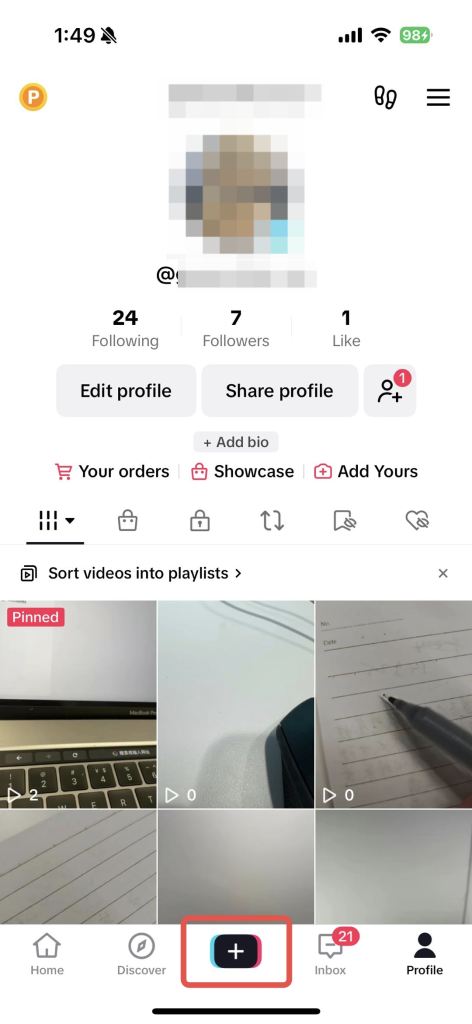
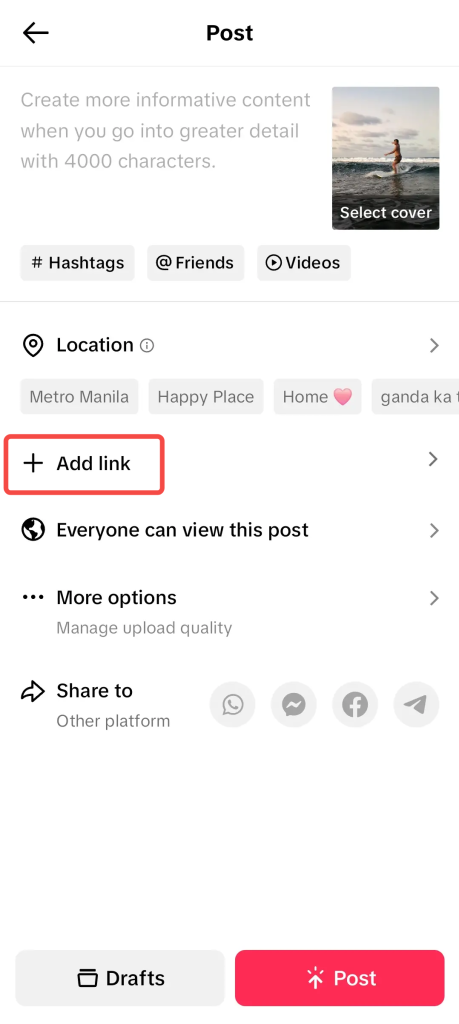
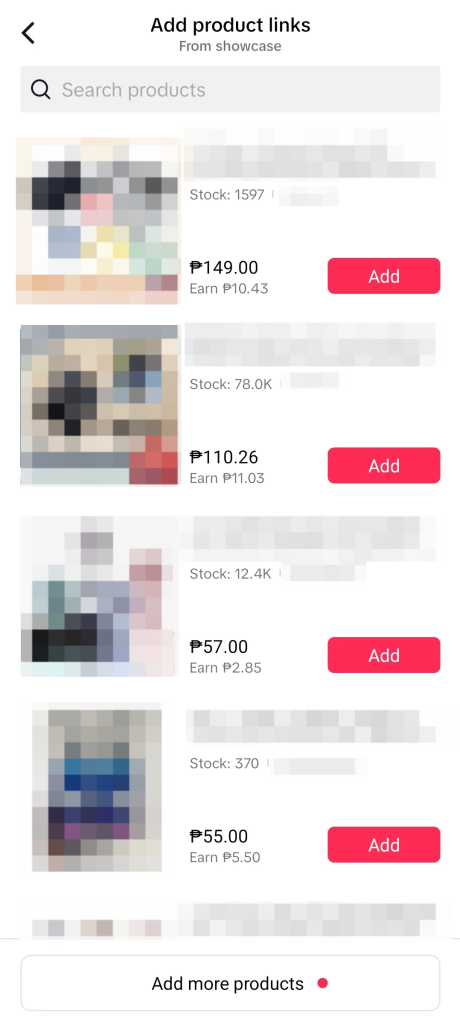
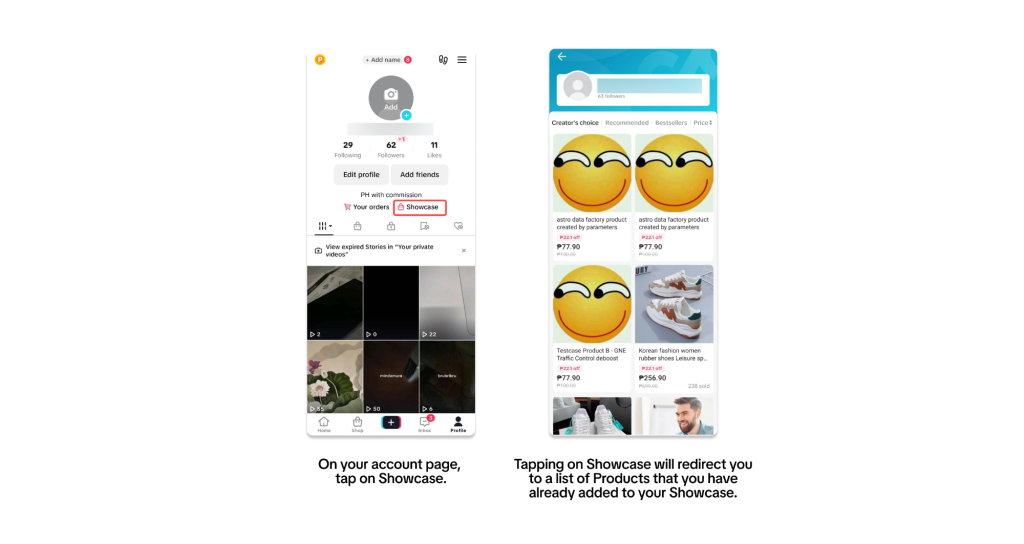
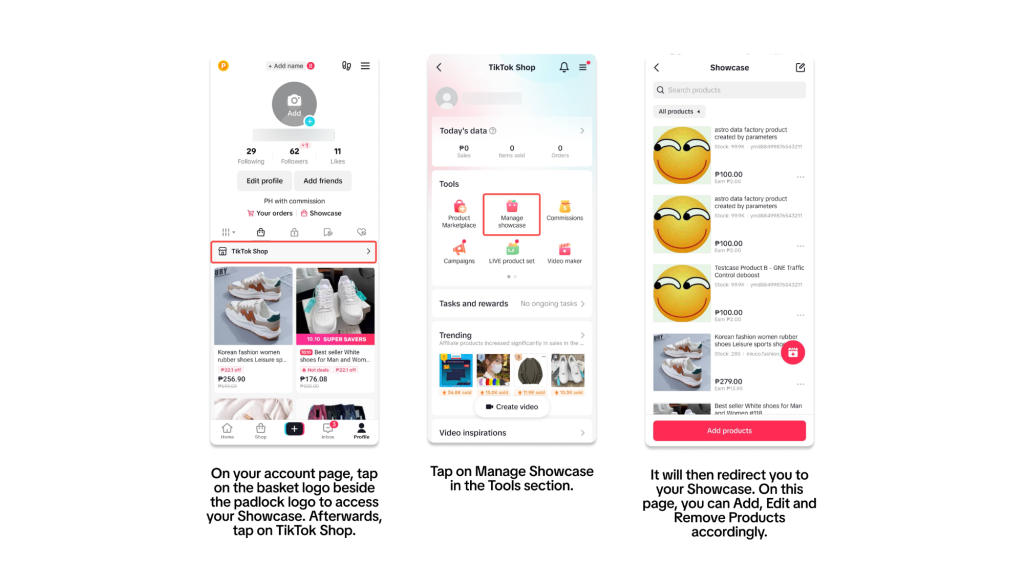
Users can tap the shopping tab (or bag icon) to access a mini storefront where they can check out in a few taps. Showcase can let creators build relationships with fans, refine operations and select products to earn commission. Additionally, showcase allows you to quickly add your product to video and LIVE sessions.
Accessing your Showcase via Account Page
Accessing your Showcase via TikTok Shop
4. Affiliate Link Sharing
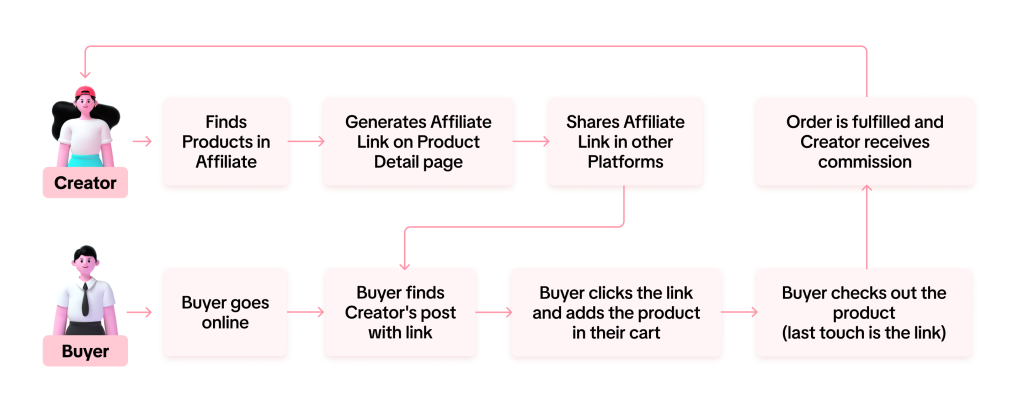
Creators will receive a link to promote via sharing on social media posts or video, allowing Buyers to view the Creators’ posts that include the link and purchase the products featured. The Creator will earn commission fees on eligible sales from the link only after the order is fulfilled
How the Affiliate Link Sharing Works?
Step 6: Shipping and Seller Fee
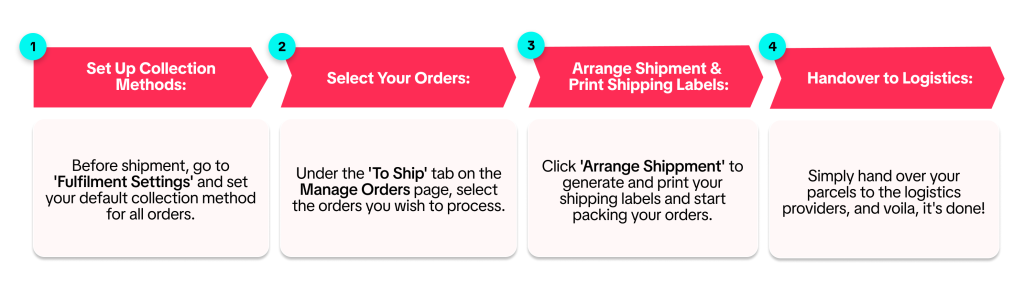
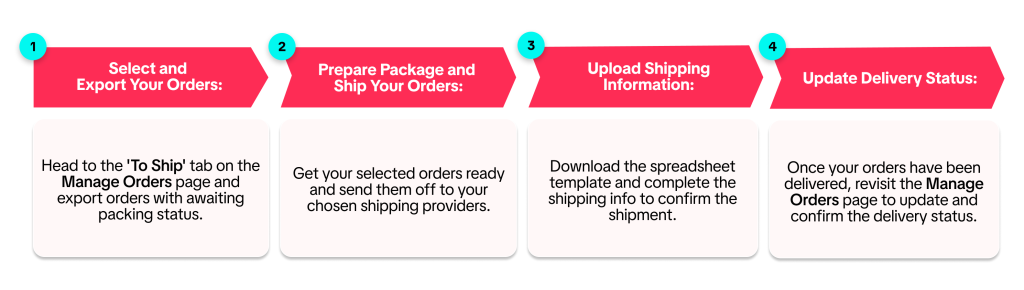
TikTok Shop offers sellers two primary shipping methods:
1. Shipping via Platform
2. Shipping by seller
Starting June 1, 2024, TikTok Shop will update its seller fees for every completed order.
TikTok Shop Seller Fee include:
- Marketplace Commission Fee
- Transaction Fee
- Affiliate Commission Fee
For more detail on how to calculate with step-by-step examples of those seller fees, click here to learn more.
Step 7: Tools for Help Your Operation Store
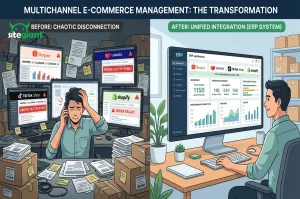
With SiteGiant ERP, you can now seamlessly integrate your TikTok Shop with SiteGiant and easily manage product listings, inventory, order processing and fulfillment and customer service all within one platform.
The reasons why you need to choose SiteGiant ERP:
- 50% FASTER than the marketplace’s standard fulfillment process
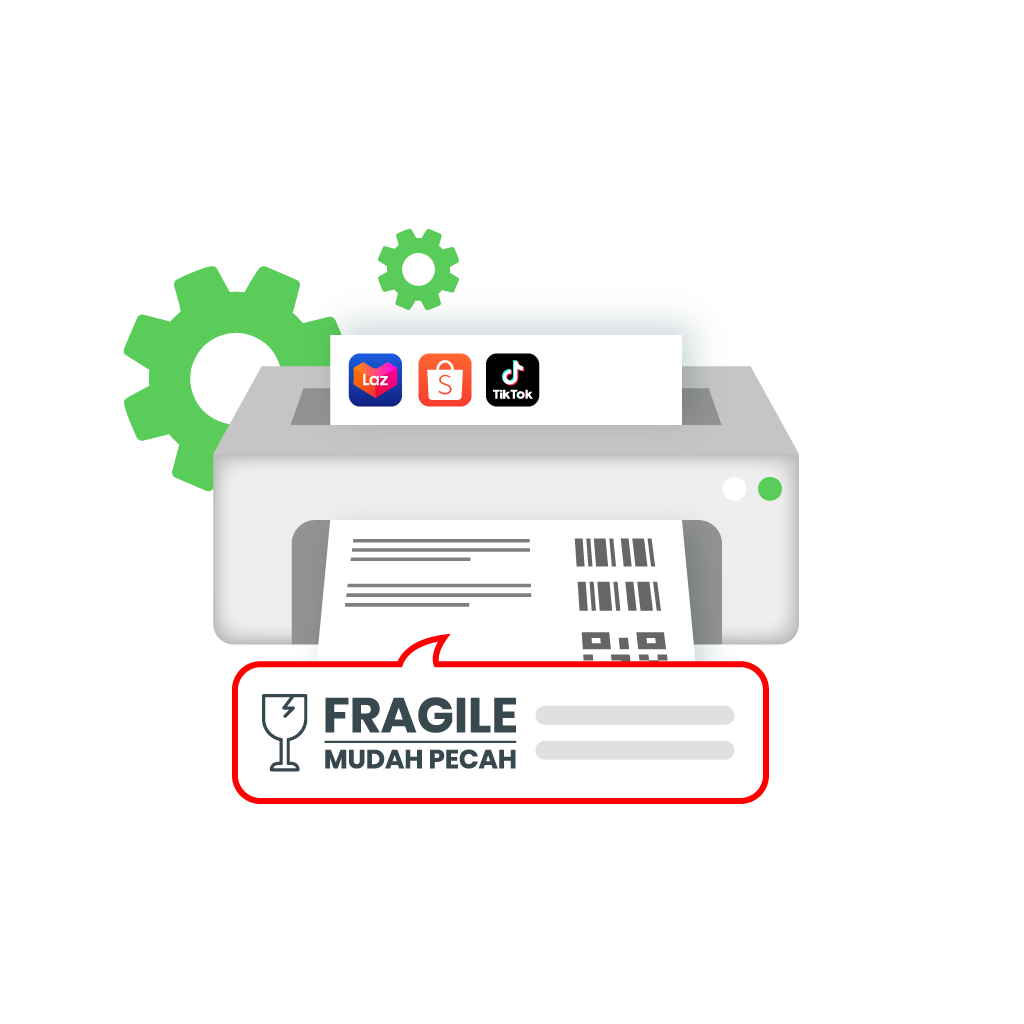
Sellers can add the rack number of the item printed with the pick list to a custom shipping label to help the picker quickly and easily to locate the items for packing.
- Getting more product views
Sellers can add the custom or special product watermark with your store product listing to increase your products’ click-through rate and stand out from your competitors.

- Simply tracking your payment status
Sellers can use Payment Reconciliation to check your marketplace order, paid status, overcharged shipping fee, free shipping fee, success claimed amount, transaction, commission and many more.

Congratulations on completing this guide! To dive deeper into maximizing your sales on TikTok Shop, check out our advanced strategies and smarts tools with SiteGiant ERP. Start exploring today!
Grow Your eCommerce Business with SiteGiant Today!
Image Credit and References:TikTok Shop Academy.